A source of computer tips and secrets for friends, neighbors, and family of Duane Leet. Noone reading this blog is tracked and no information is associated with anyone.
Telemarketing robocalls have reached a new low. They are setting the caller id to be a phone number and name of your neighbor or some business you know. And no, you can't complain about it to the phone company. They don't accept responsibility. They say it is legal to use the special electronics that make this possible and phone numbers along with names are readily available, both on public sites and black (bad) sites.
For those numbers that have been compromised, you can't change to a new number and expect that that number will not already be compromised. That is to say, you change your number and, if that number hasn't already been compromised, though perhaps with a different name, it soon will be.
The root cause is that the FTC is not regulating the use of the special electronics that implement the spoofing call. In general, I don't like government regulation, but this is an international problem and the government needs to get involved.
Unfortunately, the only universal option we have now is to ignore the call and wait until the caller leaves a message. Then, if the call is legit, call them back.
Many answering machines have a block call feature... there is a limit to the number of phone numbers the machine can hold.
For your cellphone, use an app like "Calls Blacklist" to block numbers.
For those who use Spectrum for your Voice, Spectrum offers a dashboard of protection features. One of them handles Robo Calls.
This issue is reported all the time. Some communities have community web sites where messages are distributed as images. That is when folks are the most frustrated.
The background on what is going on is: Yahoo is known for insecure email. The developers are fixing problems and releasing solutions to the online and mobile application implementations in a scattergun way; and they aren't good about announcing and teaching the changes.
In the case of images, here is the solution to fixing missing images, as of Nov. 26:
https://support.cloudhq.net/how-to-enable-images-on-yahoo-mail-messages/. Copy and paste this link into your browser.
This management problem of not educating users on changes to the email applications is an ongoing problem with many providers, but Yahoo is the worst. If you have problems in the form of "I could do it in that past, but not now" let me know and I'll research recent changes in that system that might be the reason.
Resuming the rollout of the Windows 10 October 2018 Update
By John Cable / Director of Program Management, Windows Servicing and Delivery
In early October, we paused the rollout of the Windows 10 October 2018 Update as we investigated isolated reports of users missing files after updating. We take any case of data loss seriously, and as I noted on October 9, we have thoroughly investigated and resolved all related issues.
In addition to extensive internal validation, we have taken time to closely monitor feedback and diagnostic data from our Windows Insiders and from the millions of devices on the Windows 10 October Update, and we have no further evidence of data loss. Based on this data, today we are beginning the re-release of the October Update by making it available via media and to advanced users who seek to manually check for updates.
As with all Windows releases, we will continue to carefully study the results, feedback and diagnostic data before we begin offering the update in phases to more devices in the coming weeks and months.
While the April Update had the fastest Windows 10 update rollout velocity, we are taking a more measured approach with the October Update, slowing our rollout to more carefully study device health data. We will offer the October Update to users via Windows Update when data shows your device is ready and you will have a great experience. If we detect that your device may have an issue, such as an application incompatibility, we will not install the update until that issue is resolved, even if you “Check for updates,” so you avoid encountering any known problems. For those advanced users seeking to install the update early by manually using “Check for updates” in settings, know that we are slowly throttling up this availability, while we carefully monitor data and feedback.
We plan to add a Windows update status dashboard in the coming year to provide more information on any issues that lead to update blocks. For this current October Update rollout we will be providing regular updates for notable issues on the public Window 10 update history page.
For our commercial customers, the re-release date of the Windows 10 version 1809 will also be today, November 13, 2018 (this includes Windows Server 2019 and Windows Server, version 1809). This date marks the revised start of the servicing timeline for the Semi-Annual Channel (“Targeted”) release. As previously announced and beginning with this release, feature updates that release around September will have a 30-month servicing timeline. Just as we phase our consumer rollout, we recommend IT administrators begin to validate that apps, devices and infrastructure used by their organization work well with the new release before broadly deploying. Windows 10, version 1809 is now available through Windows Server Update Services, Windows Update for Businessand System Center Configuration Manager’sphased deployment. For additional information please see the latest IT Pro Blog.
Editor’s note: Information on a communications dashboard was erroneously left out of this post. It has since been updated to include those details.
It used to be that when you bought any version of Quicken, you would set up all your accounts to either download all transactions automatically at start up from the appropriate web site or download when an icon was clicked from within the program. From 2018 versions on, this download feature is only available if you pay an annual license fee equal to the cost of that year's new version. That at least triples the out of pocket cost of Quicken for most users. In other words, there is an annual fee from now on for using Quicken as users have come to expect it to work. If you don't pay the annual fee, then you must enter all transactions on all accounts by hand.
For me, the Quicken download feature allows me to track usage of all accounts, especially credit card accounts, to both automatically enter all transactions into the Quicken and for me to spot, in one place, any suspicious transactions so I can respond in a timely manner.
So, what I did was drop down to the release with the smallest feature list I could live with, cutting my license cost in half.
An article on the Wired web site, https://www.wired.com/story/facebook-hack-single-sign-on-data-exposed/, describes the perils of having that kind of account where you can use that account to sign on to another account. "That kind of account" includes Facebook, Google, and LinkedIn. For example, take Facebook. You can sign in to another account, say Uber, using the Facebook login and password. The obvious problem is that if someone knows your Facebook login information, then that person can log into your Uber account. But it is worse than that. Someone can hijack a piece of data stored on your computer called a token, placed there by your Facebook account, and can log on to your Uber account with that token. This can happen even if you have never logged on to Uber using your Facebook account information.
The article describes various scenarios that Facebook users are exposed to. What can you do? Well, my recommendation is to entirely cancel your Facebook account and then clean out your browser cache for all browsers you use. In fact, I believe that Facebook should be forced out of business if it retains its current architecture and business and political arrangements.
For those that insist on using Facebook- like me, never use Facebook login information to access another account. Go into your Facebook control page and make sure you don't have current accounts that are linked to your Facebook account:
How: To turn off Facebook's integration with apps, games and websites:
Click in the top-right corner of Facebook and select Settings.
Click Apps and Websites in the left side menu.
Scroll down to the Apps, Websites and Games section and click Edit.
Click Turn Off.
Then, use Facebook only in the incognito mode of your browser. This will erase all Facebook tokens at the end of your Facebook session. Don't leave your Facebook session active and unattended.
There is a similar approach for other web sites that provide this Single Sign In function.
For Office 2007, support has ended... problems with Office under Windows 10 may demonstrate that you have to replace Office 2007 with something else. Microsoft is going to a periodic fee model. If you don't like that approach, then the free OpenOffice or LibreOffice Suites are an option. (Details: https://docs.microsoft.com/en-us/deployoffice/office-2007-end-support-roadmap).
Office 2010 Extended support ends in October 2020. You will need to replace that version in the next year of so.
If you want to buy an Office product and have it last for another 8 years or so, you might as well get 2016 now.
Below I have copied an article that was originally published in Computerworld. Some of the formatting is a little goofy, but the code is so complex I don't have time to fix it now (DGL)
Windows 10 update (and retirement) calendar: Mark these dates
Microsoft is releasing new versions of Windows 10 on a set schedule – and just as regularly retiring older versions from support. Here are all the dates you need to know about through Windows 7's retirement in 2020.
Microsoft's shift to Windows-as-a-service (WaaS) for Windows 10 crafted a repetitive, predictable schedule of version release and su
ct. 9, 2018
pport expiration dates for Windows 10.
Although consumers can essentially ignore any schedule — Microsoft decides when their devices are upgraded — business customers and their IT personnel should be marking the calendar with the important upcoming events.
To keep up with 10's WaaS schedule, pencil in these dates.
Sept. 11, 2018
Windows 10 1809 — the second and final Semi-Annual Channel release for the year — rolls out sometime between now and late October. (Because the April 30 launch of 1803 was almost two months later than Microsoft's professed plan, Computerworld cannot be more specific on future feature upgrade releases than this big-as-a-barn-door range of six-to-eight weeks.)
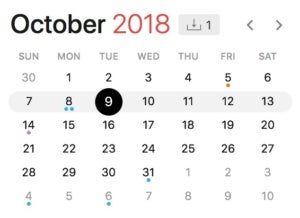
October 9, 2018
IDG/Gregg Keizer
Microsoft retires Windows 10 1703, the early-2017 feature upgrade labeled Creators Update, for customers running Windows 10 Home and Windows 10 Pro.
For Windows 10 Enterprise and Windows 10 Education, today is the end of support for version 1607, aka the Anniversary Update from 2016. Those customers must migrate to a newer version — 1703, 1709 or 1803 — by this date to continue receiving security patches.
Microsoft will probably begin offering what it calls "paid supplemental support" to volume license customers running Windows 10 Enterprise 1703 or Windows 10 Education 1703 around this time. Although those customers will receive an additional six months of free support — through the spring of 2019 — the paid supplemental support will hand them an additional 12 months of patches ... for a fee. (Microsoft has been cagey about the price of the paid supplemental support.)
Jan. 15, 2019
Around this date, Microsoft will declare 1809 as thoroughly tested by consumers, and thus, ready for wide deployment throughout the enterprise. The September update will start appearing on Windows 10 Pro and Windows 10 Enterprise PCs that rely on Windows Update for Business (WUfB).
IDG/Gregg Keizer
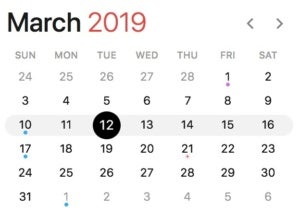
March 12, 2019
Windows 10 1903 launches between this date and late April.
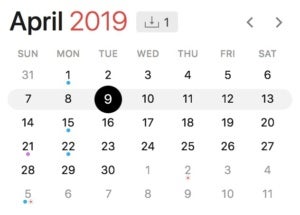
April 9, 2019
Microsoft removes Windows 10 1709, aka 2017's Fall Creators Update, from the Windows 10 Home and Windows 10 Pro support lists, halting security and non-security updates to devices running those editions.
IDG/Gregg Keizer
Also, on this date, Microsoft stops serving all updates to Windows 10 Enterprise 1703 and Windows 10 Education 1703, ending the 24-month-and-change support lifecycle for the feature upgrade that debuted in April 2017.
Microsoft's latest moves have established that the company starts counting the months of support from the actual launch of the feature upgrade, not from the supposed March and September release targets.
Microsoft sets the end-of-support date on the first Patch Tuesday — the second Tuesday of the month — following the 18th or 24th month anniversary of release. For example, Microsoft started shipping 1803 on April 30, 2018, making the 18th-month anniversary Oct. 30, 2019. But the stop-support date for Windows 10 1803 has been penciled in as Nov. 12, 2019, the next Patch Tuesday.
Clear? Good.
July 15, 2019
Around this date, Microsoft will notify customers -- on a post to a company blog -- that Windows 10 1903 is stable enough to deploy to all corporate PCs and will simultaneously begin seeding Windows 10 Pro and Windows 10 Enterprise PCs with the upgrade via Windows Update for Business (WUfB).
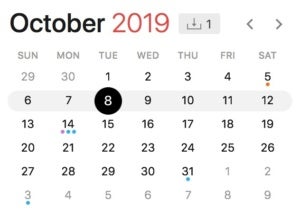
Sept. 10, 2019
Windows 10 1909 begins reaching users at some point between this date and the end of October.
IDG/Gregg Keizer
Nov. 12, 2019
Microsoft halts support for Windows 10 1803, putting an end to security and non-security updates to devices running the feature upgrade.
All editions of Windows 10 — Home, Pro, Enterprise and Education — will exit support on this date, according to the definitive "Windows lifecycle fact sheet." As of the 1709 feature upgrade, Microsoft has dropped the extra six months of support for Windows 10 Enterprise and Windows 10 Education customers.
Microsoft was cagey when it first announced the extra six months earlier this year; it specifically called out the feature upgrades issued up until then — 1511, 1607, 1703 and 1709 — but said nothing about an extension for, say, 1803.
At the time, Computerworld expected that the support addendum would be made permanent for Windows 10 Enterprise and Windows 10 Education, in part because research analysts confirmed that many of their corporate clients hoped for a 24-month support lifecycle.
Microsoft didn't agree.
This is also the date when Microsoft retires Windows 10 Enterprise 1709 and Windows 10 Education 1709 from support. Customers running those must upgrade to version 1809, 1903 or 1909 by this date to continue receiving security patches and non-security bug fixes.
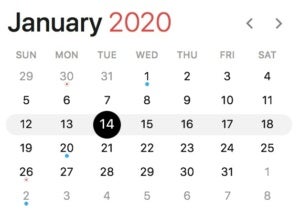
Jan. 14, 2020
Microsoft will retire Windows 7 from support on this date, marking the general deadline for enterprises to replace that OS with Windows 10.
IDG/Gregg Keizer
There will undoubtedly be laggards, and some companies will probably pay to extend support, assuming Microsoft offers something for Windows 7 that resembles the "Premium Assurance" for Windows Server and SQL Server.
What with Windows 7 expected to remain on huge numbers of PCs come the 2020 retirement — perhaps on up to 35% of all Windows personal computers — Computerworld believes it's inevitable that Microsoft will dangle a more-money-for-more-support deal.
How much time? Computerworld's bet is just 12 months, the same stretch Microsoft offers Windows 10 Enterprise and Windows 10 Education volume licensees when they pay for what it calls "paid supplemental servicing," a new program the company kicked off in February.
Somewhere near this date, Microsoft will proclaim 1909 as sufficiently tested (by consumers) and ready for wide deployment (by commercial customers). The September update will begin appearing on Windows 10 Pro and Windows 10 Enterprise PCs that rely on Windows Update for Business (WUfB).
March 10, 2020
Windows 10 2003 releases some time between this date and late April.
IDG/Gregg Keizer
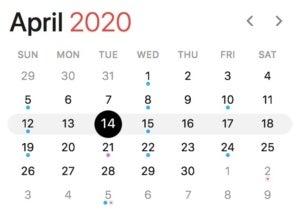
April 14, 2020
Microsoft strikes Windows 10 1809 from the support list on this date or later, stopping security and non-security updates to devices running the edition.
(The most likely alternate stop date would be May 12, 2020, which could come into play if Microsoft releases 1809 after Oct. 31, 2019.)
This story, "Windows 10 update (and retirement) calendar: Mark these dates" was originally published by Computerworld.


 in the top-right corner of Facebook and select






 IDG/Gregg Keizer
 IDG/Gregg Keizer
 IDG/Gregg Keizer
 IDG/Gregg Keizer
 IDG/Gregg Keizer
 IDG/Gregg Keizer